
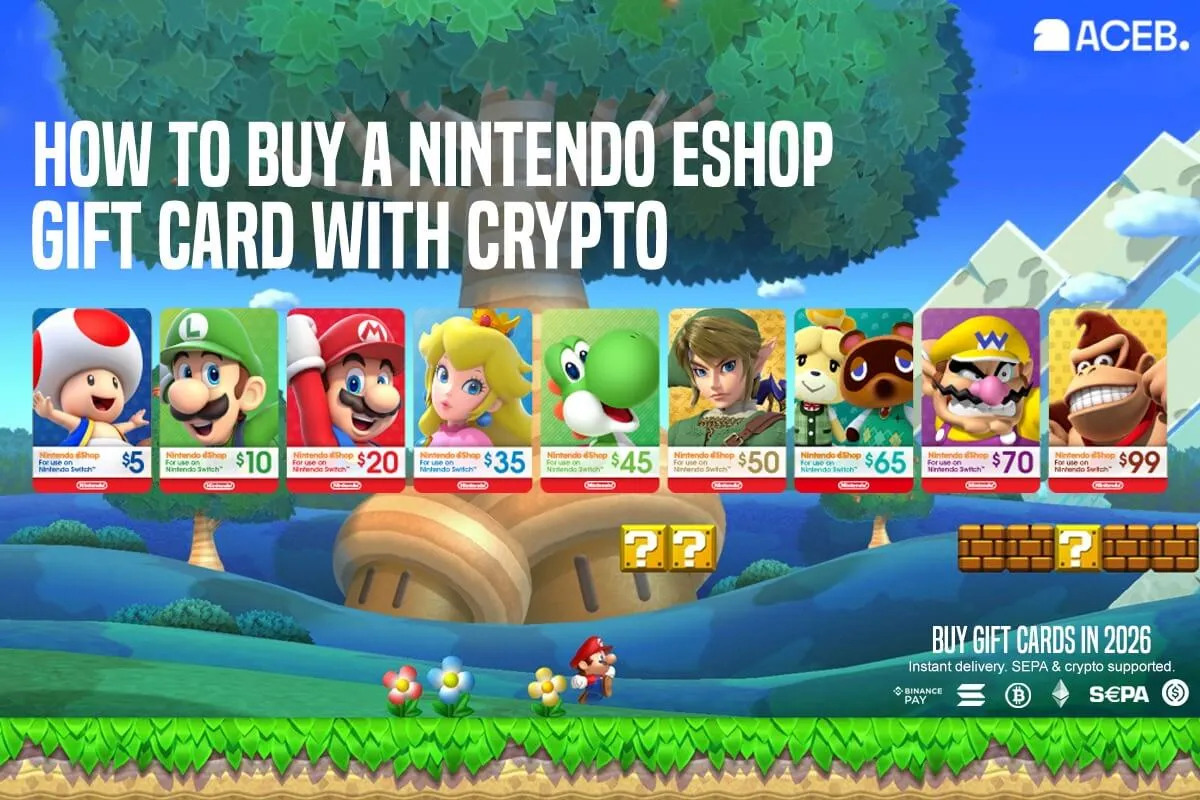
How to Buy a Nintendo eShop Gift Card with Crypto
Buy a Nintendo eShop gift card with crypto on ACEB.com using BTC, ETH, SOL, USDC, or SEPA. Receive your digital Nintendo code by email and redeem it for eligible Nintendo Switch games, DLC, subscriptions, and Nintendo eShop purchases.
A Nintendo eShop gift card is a prepaid digital code that adds funds to a compatible Nintendo Account. The balance can be used on Nintendo eShop for eligible digital games, downloadable content, subscriptions where supported, and selected Nintendo digital purchases, subject to country, region, account, platform, and Nintendo terms.
ACEB.com lets users buy a digital Nintendo eShop code with crypto or SEPA. After payment confirmation, the code is delivered by email and can be redeemed on Nintendo eShop, as long as the card matches the Nintendo Account country or region. For most crypto users, buying a Nintendo eShop gift card is one of the easiest ways to spend crypto on Nintendo games without converting funds back to a traditional bank card first.
Yes. You can buy a Nintendo eShop gift card with crypto on ACEB.com using BTC, ETH, SOL, or USDC. SEPA bank transfer is also available. The digital code is delivered by email and can be redeemed as Nintendo prepaid balance for eligible games, DLC, subscriptions where supported, and digital content.
A Nintendo eShop gift card converts crypto into Nintendo digital balance. Once redeemed, the prepaid credit can help pay for eligible digital games, downloadable content, subscriptions, and Nintendo Switch purchases.
To buy a Nintendo eShop gift card with crypto, choose the correct Nintendo region, select the matching value, pay on ACEB.com, and receive the digital code by email.
Start from aceb.com/brands/nintendo-gift-cards, choose the Nintendo eShop gift card option that matches the recipient’s Nintendo Account region, then redeem the code on Nintendo eShop.
Nintendo eShop is the digital store used by Nintendo players to buy games, add-on content, subscriptions, and selected digital items for compatible Nintendo systems.
For crypto users, a Nintendo eShop gift card is a practical gaming route. Instead of converting digital assets back to a bank card first, users can turn crypto into prepaid Nintendo gaming credit.
This guide explains how to buy a Nintendo eShop gift card with Bitcoin and other supported payment methods, how redemption works, and how to avoid the most common region or account mismatch errors.
ACEB.com supports Bitcoin, Ethereum, Solana, USDC stablecoins, and SEPA bank transfer. This gives users a practical route from digital assets or bank transfer to Nintendo prepaid balance.
- You can buy a Nintendo eShop gift card on ACEB.com with BTC, ETH, SOL, USDC, or SEPA.
- The digital code is delivered by email after payment confirmation.
- Nintendo eShop cards are country or region specific.
- The card should match the Nintendo Account country or region.
- The prepaid balance can support eligible digital games, DLC, subscriptions where supported, and Nintendo eShop purchases.
- A Nintendo eShop gift card is an indirect way to use crypto for gaming content.
- Main product page: Nintendo Gift Card options on ACEB.com
- Region match: choose the card that matches the Nintendo Account country or region
- Use cases: Nintendo Switch games, DLC, subscriptions where supported, digital content, and gifting
- Payment: BTC, ETH, SOL, USDC, or SEPA
- Delivery: digital code by email after payment confirmation
- Redemption: redeem only through Nintendo eShop or Nintendo’s official redemption environment
- Availability: available denominations and supported countries may change over time
- Live listing: check availability, denominations, redemption terms, and supported countries before purchase
What Is a Nintendo eShop Gift Card?
A Nintendo eShop gift card is a prepaid digital code. After redemption, the value is added to a compatible Nintendo Account and can be used toward eligible purchases on Nintendo eShop.
Unlike a standard card payment, a gift card adds balance first. That balance can then be used according to Nintendo’s account rules, country or region settings, content availability, platform compatibility, and Nintendo eShop terms.
Nintendo prepaid balance is credit linked to a Nintendo Account. It can help pay for eligible digital games, DLC, subscriptions where supported, and selected Nintendo eShop purchases until the redeemed value is used.
Step Zero: Check Country or Region
Region matching is the most important step when buying a Nintendo eShop code online. Nintendo eShop cards are intended for the country or region where they are sold, so a card from one region may not redeem on an account set to another region.
Before buying, check the Nintendo Account that will redeem the code. This is especially important when buying Nintendo digital balance as a gift for someone in another country.
- Open the Nintendo Account settings
- Review the account country or region
- Confirm the recipient’s region if buying as a gift
- Choose the matching option on ACEB.com
Buying a Nintendo eShop card because the value looks right, without checking the Nintendo Account region. A USA, UK, EU, Japan, Canada, or Australia code may not be interchangeable.
US account → Nintendo eShop USA. UK account → Nintendo eShop UK. EU account → Nintendo eShop Europe. Always match the card to the Nintendo Account country or region.
A Practical Way to Use Crypto for Nintendo eShop Purchases
One practical way to use crypto for Nintendo eShop is to buy a prepaid digital code and redeem it as account balance. Nintendo does not commonly list cryptocurrency as a direct Nintendo eShop payment method, so this route keeps the process simple: buy the code, redeem it, then use the balance where eligible.
For gamers, this is useful because digital games, expansions, in-game content, and subscriptions where supported are frequent purchases. Instead of trying to connect a wallet at checkout, the user buys compatible prepaid credit and applies it to eligible Nintendo eShop purchases.
Nintendo Balance, Games, and Restrictions
Nintendo eShop purchases depend on the user’s Nintendo Account country or region, available content, console compatibility, age settings, account rules, and Nintendo eShop terms. When prepaid balance is redeemed, that value can be applied to eligible digital purchases where supported.
A Nintendo gift card is not a universal global payment code. It can be limited by country, region, account setup, platform, content availability, and Nintendo terms. Game availability, DLC compatibility, subscriptions, refunds, taxes, and account settings are controlled by Nintendo, not ACEB.com.
- Use the code with a Nintendo Account supported by the card country or region.
- The redeemed balance follows Nintendo eShop checkout and account rules.
- Game, DLC, and subscription availability can vary by country or region.
- A mismatch between card region and account setup can prevent redemption.
- Available denominations and supported countries may change over time.
A payment method charges an external account. A Nintendo digital balance code adds prepaid credit first, and that credit is then used toward eligible Nintendo eShop checkout charges where available.
Why Crypto Users Buy Nintendo eShop Gift Cards
A Nintendo eShop gift card is a simple way to turn digital assets into gaming value. It is useful for users who already hold crypto and want to spend it on digital games, add-ons, or Nintendo content without relying only on traditional card checkout.
It also works well for gifting. Instead of choosing a specific game, expansion, or subscription, you can send prepaid Nintendo gaming credit to someone with a compatible Nintendo Account.
Turn crypto into Nintendo account credit.
Use redeemed balance toward eligible games, DLC, and content.
Give gaming credit without choosing a specific title.
Use digital assets for practical gaming purchases.
Common Mistakes to Avoid Before Buying
- Buying a Nintendo eShop card for the wrong country or region.
- Assuming every Nintendo prepaid code works globally.
- Buying for someone else without checking their Nintendo Account region.
- Trying to redeem the code on an account registered in a different region.
- Entering the wrong code, control number, extra spaces, or copied formatting.
- Forgetting that DLC and some content can depend on game region and account region.
- Changing Nintendo Account country before checking how balance and content access may be affected.
- Sharing the code before redeeming it in the correct account.
Step-by-Step: Buy a Nintendo eShop Gift Card with Crypto
- 1 Check Nintendo Account country or region Confirm the country or region linked to the Nintendo Account that will redeem the code.
- 2 Choose the correct Nintendo eShop gift card Pick the listing that matches the account country or intended recipient region.
- 3 Select the matching listing on ACEB.com Go to aceb.com/brands/nintendo-gift-cards and choose the correct Nintendo region.
- 4 Choose value and enter your email Select the amount you want to add and enter the email address where the code should be delivered.
- 5 Pay with crypto or SEPA Complete checkout with BTC, ETH, SOL, USDC, or SEPA.
- 6 Receive and redeem your code After payment confirmation, receive the digital code by email and redeem it on Nintendo eShop.
How to Redeem a Nintendo eShop Gift Card
A Nintendo eShop gift card is redeemed through Nintendo’s official account, Nintendo eShop, or official redemption flow. Make sure you are signed in to the correct Nintendo Account before entering the code, because the balance is connected to that account.
Standard redemption flow
- Sign in to the Nintendo Account that should receive the balance
- Open Nintendo eShop or Nintendo’s official code redemption page
- Choose the account you want to use if prompted
- Enter the download code exactly as shown
- Confirm redemption
- Check that the balance is applied to the account
- Use the balance toward eligible Nintendo eShop purchases where supported
Redeem the code only inside Nintendo’s official website, Nintendo eShop, account, or console environment. Do not share your code before redeeming it.
Nintendo eShop Payment Method Comparison
| Method | Direct crypto? | Region sensitive? | Best use |
|---|---|---|---|
| Nintendo eShop gift card bought with crypto | Indirect | Yes | Turning crypto into gaming credit |
| Standard Nintendo eShop payment method | No standard crypto method commonly listed | Country-dependent | Checkout with local payment options |
| Prepaid Nintendo balance | No | Yes | Using redeemed value toward eligible purchases |
People Also Ask
Can Nintendo eShop gift cards work internationally?
Not usually. A Nintendo eShop gift card should match the country or region of the Nintendo Account that redeems it.
Can you redeem a Nintendo eShop gift card on an existing account?
Yes, existing Nintendo Accounts can generally redeem compatible codes through Nintendo eShop or Nintendo’s official redemption flow, subject to account and region rules.
Can Nintendo eShop gift cards be used for DLC?
Yes, compatible Nintendo digital balance can be used toward eligible DLC and digital content, but DLC compatibility may depend on the game, region, and account setup.
Who Usually Buys Nintendo Gift Cards with Crypto?
Nintendo gift cards bought with crypto are best for players who want prepaid gaming credit, gift buyers who do not want to choose a specific title, and crypto users who want a simple way to use digital assets for entertainment.
- Best for gamers: users who regularly buy digital Nintendo games or add-on content.
- Best for gifting: buyers who want to send flexible Nintendo credit instead of a specific game.
- Best for crypto users: people who want to spend crypto on gaming without converting back to a bank card first.
- Best for families: users who prefer prepaid balance instead of adding a direct payment card.
Who Is This For?
People who hold crypto and want practical prepaid gaming credit.
Useful for digital games, add-ons, and Nintendo eShop purchases.
Helpful for controlled prepaid gaming credit instead of direct card checkout.
Send flexible Nintendo credit without choosing a specific game.
Available denominations and supported countries may change over time. Choose the Nintendo region that matches the account before checkout.
View Available Nintendo Regions →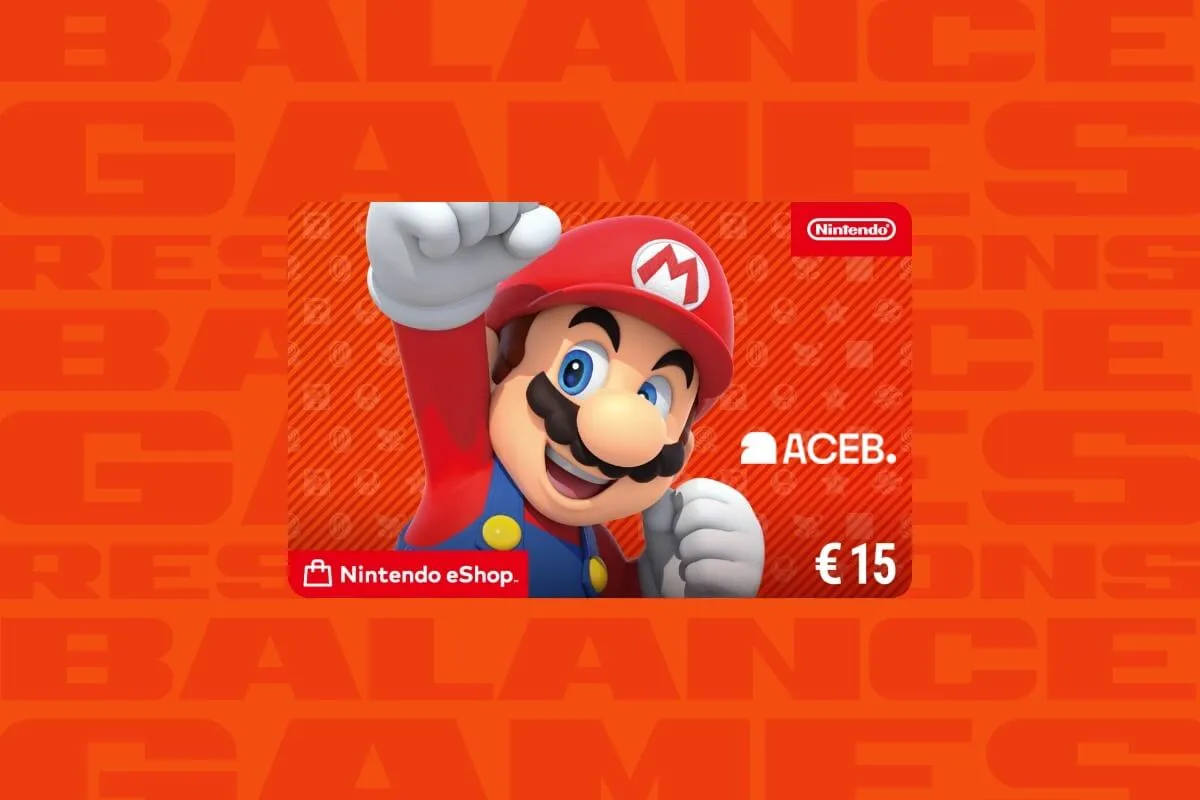
Available Nintendo Gift Card Markets on ACEB.com
Choose the Nintendo eShop gift card option that matches your Nintendo Account country or intended recipient region. Availability, denominations, supported countries, and stock can change, so check the live listing before purchasing.
View all available regions on ACEB.com’s Nintendo gift card page.
What You Can Use Nintendo Balance For
After redemption, the value is applied to the Nintendo Account according to the rules of the specific card and country or region. Depending on availability and account eligibility, the balance can support eligible Nintendo eShop purchases.
- Digital Nintendo Switch games.
- Eligible downloadable content and expansions.
- Selected subscriptions and digital services where supported.
- In-game content where Nintendo balance is accepted.
- Account balance top-up before future digital purchases.
- Gifting gaming credit to someone with a compatible Nintendo Account.
Official Nintendo Resources to Check Before Redeeming
Before using a digital Nintendo eShop code, check Nintendo’s official gift card and redemption information. These resources can help confirm current redemption steps, account requirements, region rules, and code behavior.
Is It Safe to Buy a Nintendo eShop Gift Card with Crypto?
Buying a Nintendo eShop gift card with crypto is safe when you use a provider with clear listings, secure checkout, and digital code delivery. The main risks are choosing the wrong country or region, entering the wrong email, or sharing the code before redemption.
- Choose the option that matches the Nintendo Account country or region.
- Double-check the delivery email before payment.
- Review the live product listing before purchase.
- Redeem only inside Nintendo’s official account, Nintendo eShop, or redemption environment.
- Keep your ACEB.com order reference until the balance appears in Nintendo eShop.
- Do not share unused codes in chat messages, screenshots, or public posts.
ACEB.com does not control Nintendo redemption rules, regional restrictions, content availability, console compatibility, account eligibility, subscriptions, DLC compatibility, refunds, taxes, or payment method requirements.
Troubleshooting: Code Not Working
| Problem | Likely cause | Fix |
|---|---|---|
| Code not received | Payment not yet confirmed, or email filtered to spam | Check payment status, inbox, spam, and promotions folders |
| Invalid code | Typing error, extra spaces, wrong field, or copied characters | Copy the code carefully and make sure you enter the redemption code, not a control number |
| Country or region issue | Code does not match the Nintendo Account country or region | Check the Nintendo Account region and product listing |
| Balance not appearing | Sync delay, wrong account, or failed redemption | Sign out and back in, confirm the correct account, and recheck balance |
| Balance not usable for a purchase | Content, account, age, subscription, DLC, region, or checkout restriction | Review Nintendo eShop checkout details and content eligibility |
| Code already redeemed | The code may have already been added to a Nintendo Account | Check the intended Nintendo Account first, then contact support with the order reference if needed |
Frequently Asked Questions
Can I buy a Nintendo eShop gift card with Bitcoin?
Yes. You can buy a Nintendo eShop gift card on ACEB.com with BTC, ETH, SOL, or USDC. SEPA bank transfer is also available.
Can I use crypto directly on Nintendo eShop?
Nintendo does not commonly list cryptocurrency as a direct Nintendo eShop payment method. The practical method is to buy a Nintendo eShop gift card with crypto and redeem it as account balance.
Are Nintendo eShop gift cards region locked?
Yes. Nintendo eShop cards are intended for specific countries or regions. The card should match the Nintendo Account that will redeem it.
What can I use a Nintendo eShop gift card for?
You can use compatible Nintendo prepaid balance toward eligible digital games, DLC, subscriptions where supported, in-game content, and other supported Nintendo digital purchases.
How do I redeem a Nintendo eShop gift card?
Sign in to the correct Nintendo Account, open Nintendo eShop or Nintendo’s official redemption page, enter the code exactly as shown, and confirm redemption.
Can I use a Nintendo eShop gift card for DLC?
Yes, where supported. However, DLC compatibility may depend on the game version, account region, content region, and Nintendo eShop availability.
What happens if I buy the wrong Nintendo region?
The code may not redeem on the account. Always check the Nintendo Account country or region and the product listing before buying.
Buying a Nintendo eShop gift card with crypto on ACEB.com is simple: choose the right region, pay with a supported method, receive the code by email, and redeem it as Nintendo account credit.
Buy the Right Nintendo eShop Gift Card on ACEB.com
Turn crypto into Nintendo prepaid credit. Digital code delivered by email after payment confirmation.
Before you buy, select the Nintendo card that matches the Nintendo Account country or region.
Choose Your Nintendo eShop Gift Card and Pay with CryptoYou can also use crypto for gaming, shopping, travel, streaming, and digital services by exploring other gift card categories on ACEB.com.
Related Nintendo Gift Card Options
- All Nintendo Gift Card options on ACEB.com
- Nintendo USA Gift Card
- Nintendo UK Gift Card
- Nintendo Europe Gift Card
- Nintendo Canada Gift Card
Browse Gift Card Categories
- Gaming Gift Cards
- Entertainment Gift Cards
- Retail & Shopping
- Streaming & Subscriptions
- Digital Services
Related Reading
Nintendo is a trademark of Nintendo Co., Ltd. ACEB.com is not affiliated with, endorsed by, or sponsored by Nintendo Co., Ltd. Product availability, redemption rules, Nintendo eShop availability, content availability, console compatibility, account eligibility, subscriptions, DLC compatibility, refunds, taxes, and regional restrictions are controlled by Nintendo.